
If your care team has prescribed binder medications, KidneyPal can help you keep track of whether you took them each day — and show your doctor how consistent you’ve been. The binder tracker requires KidneyPal Pro.
What Are Binders?
Binders are medications that bind to phosphorus or potassium from your food so your body absorbs less of it. They’re prescribed by your doctor, and phosphate binders are usually taken with meals — which is exactly how KidneyPal tracks them.
Important: KidneyPal records what you take — your doctor decides what you should take. Never start, stop, or change a binder dose without talking to your care team. The tracker is for adherence only; it doesn’t estimate how much phosphorus or potassium was absorbed.
Setting Up Your Binders
Go to Settings and tap Binder Medications.
Choosing from Common Binders
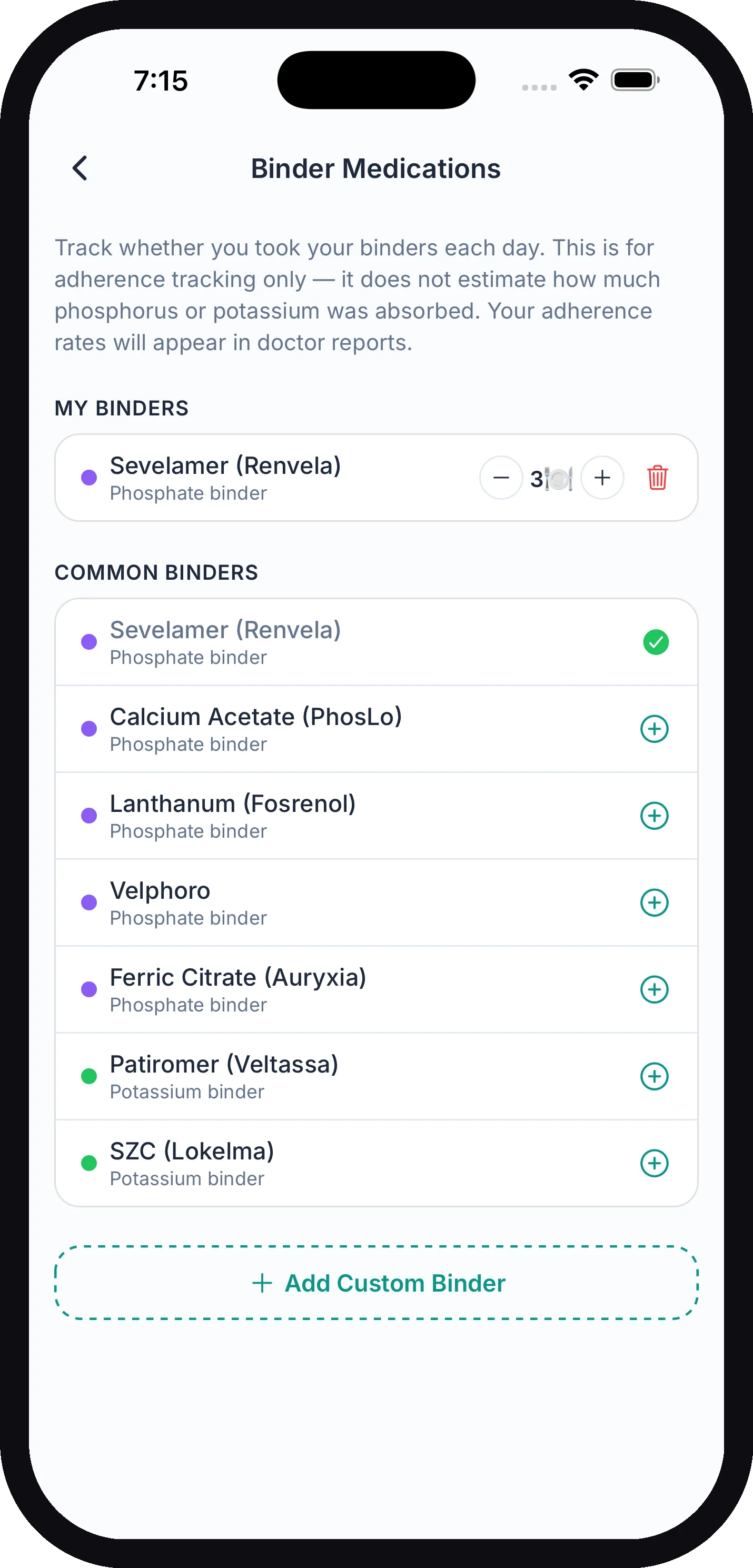
The screen lists common binders you can add with one tap:
| Binder | Type |
|---|---|
| Sevelamer (Renvela) | Phosphate binder |
| Calcium Acetate (PhosLo) | Phosphate binder |
| Lanthanum (Fosrenol) | Phosphate binder |
| Velphoro | Phosphate binder |
| Ferric Citrate (Auryxia) | Phosphate binder |
| Patiromer (Veltassa) | Potassium binder |
| SZC (Lokelma) | Potassium binder |
Adding a Custom Binder
Don’t see yours? Tap Add Custom Binder. Enter a name (including the strength can help, like “Renvela 800mg”), choose Phosphate binder or Potassium binder, set Doses per day, then tap Add.
Doses Per Day
Your binders appear under My Binders, each with a stepper to adjust how many doses you take per day:
- Phosphate binders — one dose per meal, up to 4 (breakfast, lunch, dinner, snack). New presets start at 3.
- Potassium binders — simple daily doses, up to 6. New presets start at 1.
Match this to whatever your doctor prescribed. To remove a binder, tap the trash icon next to it.
Checking Off Doses on Your Diary
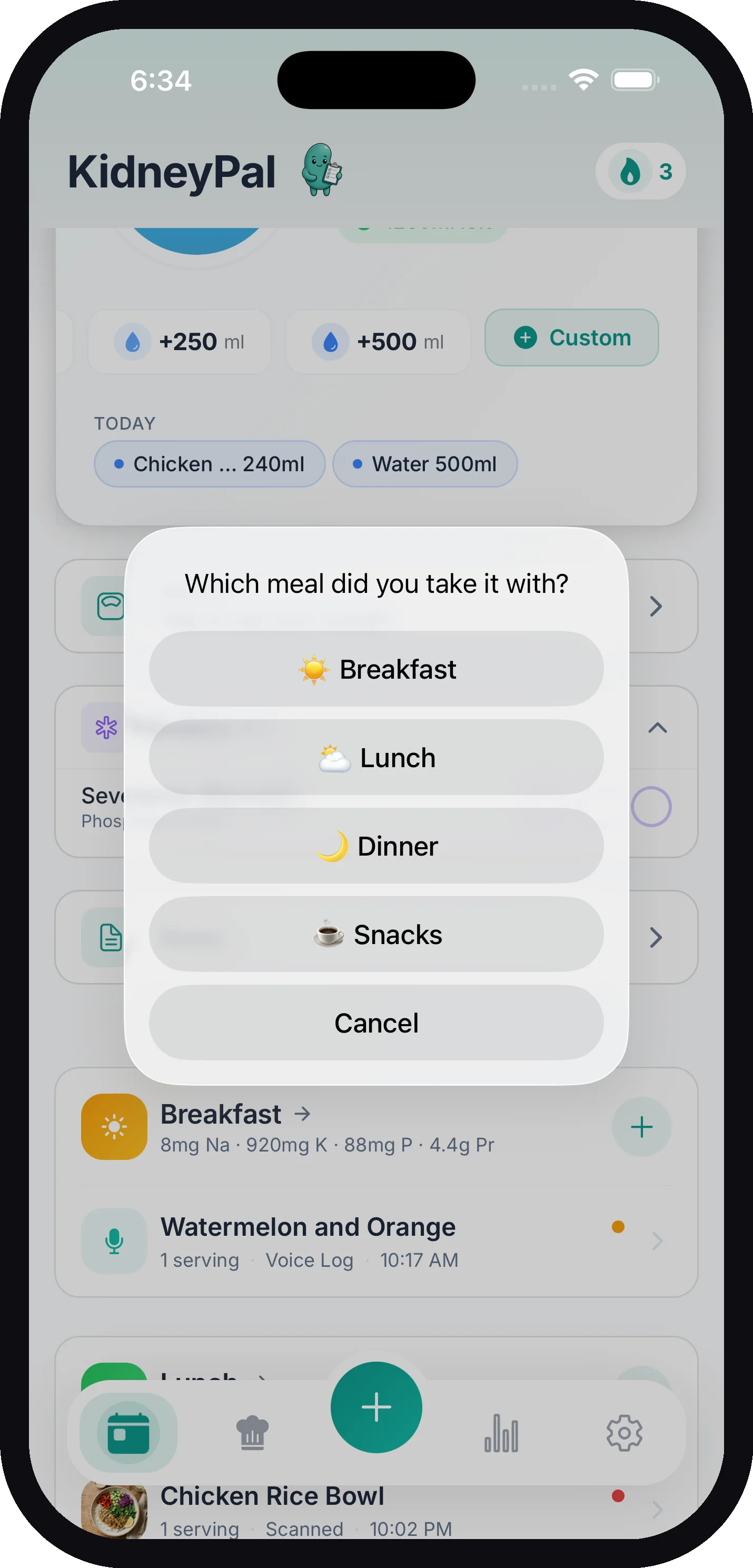
Once you’ve set up at least one binder, a Binders card appears on your diary home screen. It shows a running count like 2/4 so you can see today’s progress at a glance.
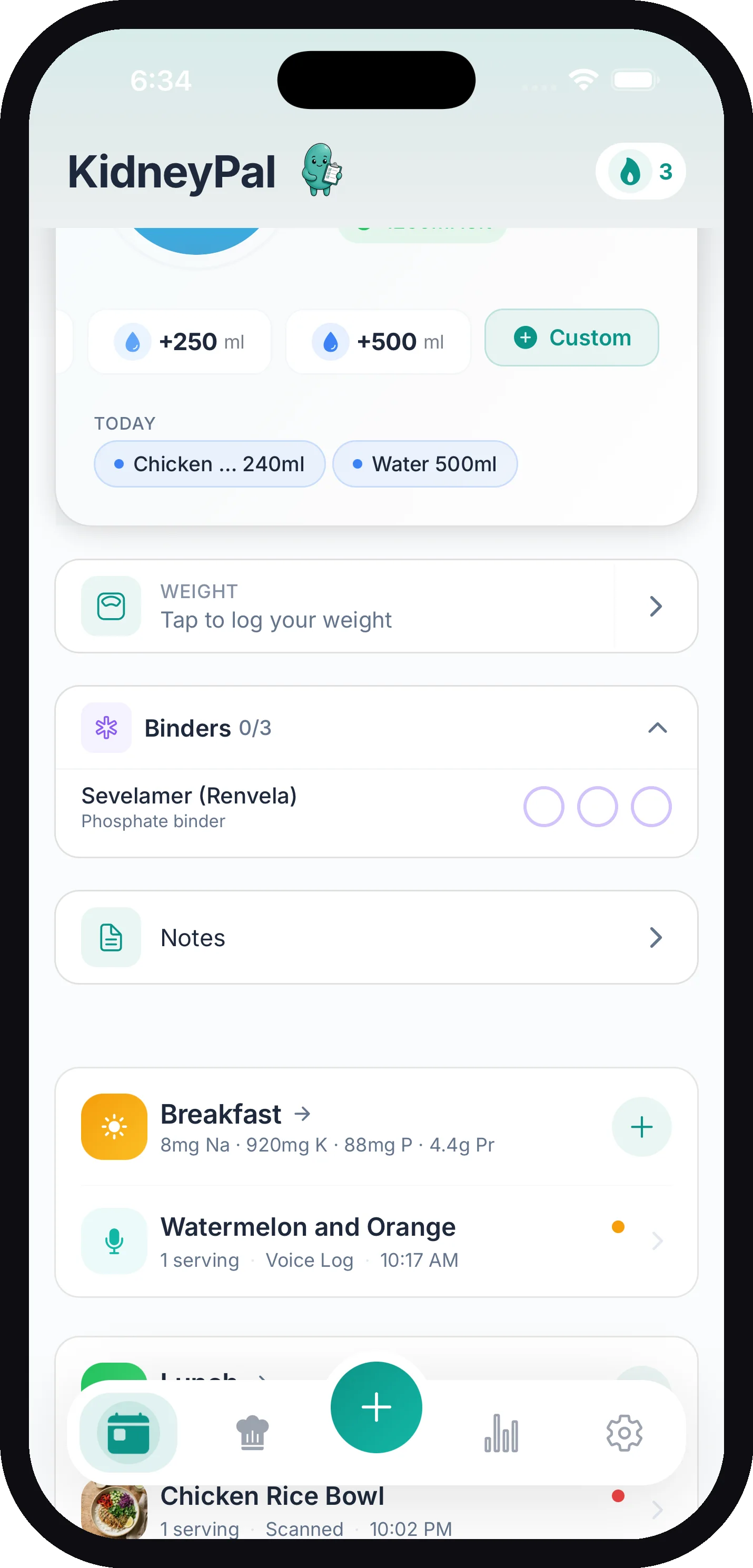
- Phosphate binders — tap an empty circle and KidneyPal asks “Which meal did you take it with?” Pick breakfast, lunch, dinner, or snack, and the circle fills with that meal’s icon. Tap a filled circle to undo it.
- Potassium binders — just tap a circle to mark a dose taken. Tap it again to undo.
When every dose is checked off, the card shows a green checkmark and collapses out of the way. Tap the header anytime to expand or collapse it.
Tip: Forgot to log yesterday? Navigate to a past day in your diary and the Binders card lets you check off doses for that date too.
Adherence on Your Doctor Report
Your check-offs feed a Medication Adherence section in the doctor report. For each binder, the report shows how many doses you took versus how many were prescribed over the report period, along with an adherence percentage. Phosphate binder adherence is measured against the meals you actually logged, so untracked days don’t unfairly drag your score down.
It’s an easy, honest way to show your nephrologist how things are really going between appointments — and a much better starting point than trying to remember.
Related Pages
- Doctor Report — where your adherence shows up
- Diary — your daily logging home base
- Nutrient Limits — how KidneyPal sets your phosphorus and potassium targets